# Plant Information
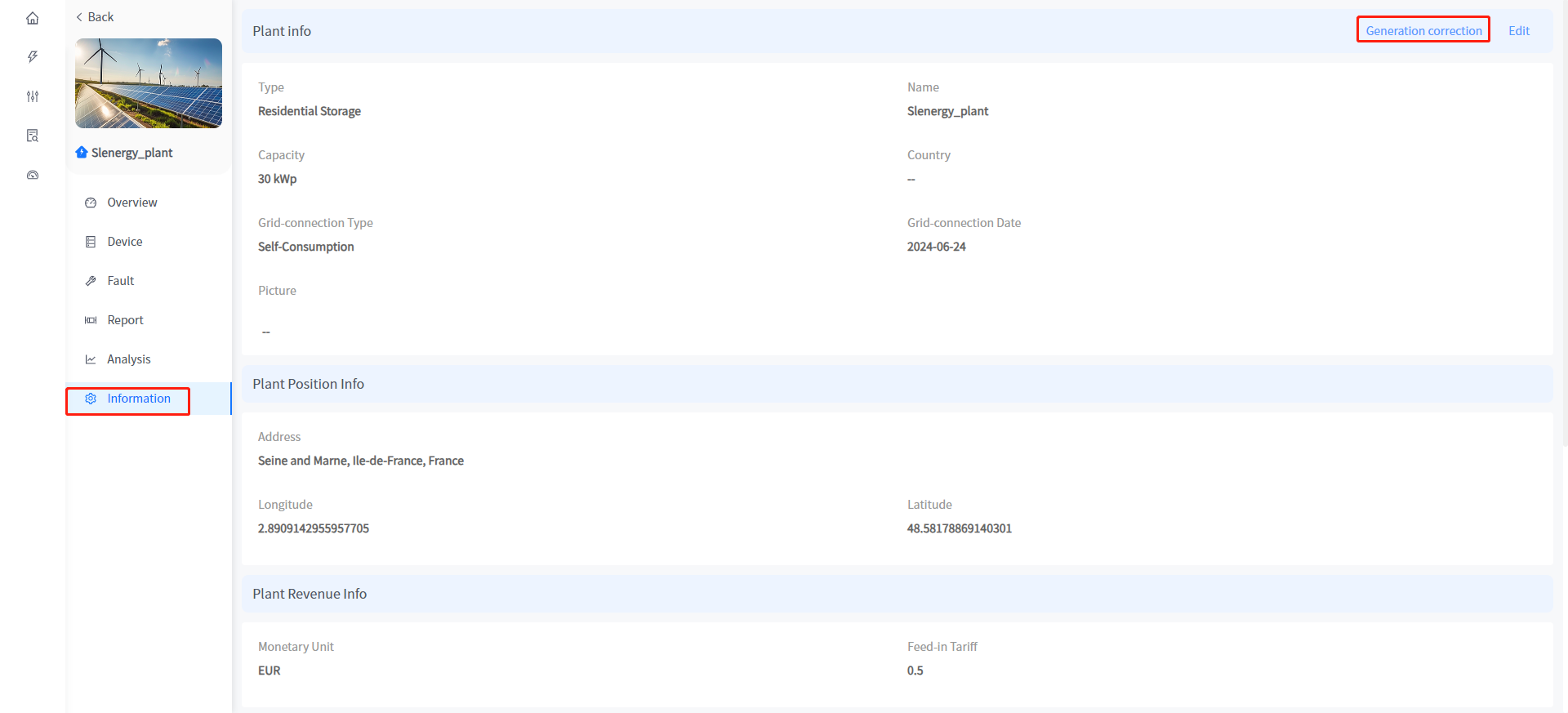
Smart Cloud Support you to modify the basic information of the Plant in the Plant Details - Plant Information page; The historical power generation data of the Plant or a certain equipment under the Plant can also be adjusted.
# Adjustment of Plant information
① Click the name of the plants in the Plant - Plant list to enter the details of the Plant.
② Click the information on the left to enter the Plants information display page.
③ Click the [Edit] button in the upper right corner to enter the Plant information editing page.
④ Enter the modified Plant information and click the [OK] button to submit the modifications.
# Generation correction
① Click the name of the plants in the Plant - Plant list to enter the details of the Plant.
② Click the information on the left to enter the Plants information display page.
③ Click the [Generation correction] button in the upper right corner.
④ Enter the amount of accumulated power you want to adjust in the input box. (Positive numbers increase cumulative power generation, negative numbers decrease cumulative power generation)
⑤ Click the [Determine] button to submit your changes.